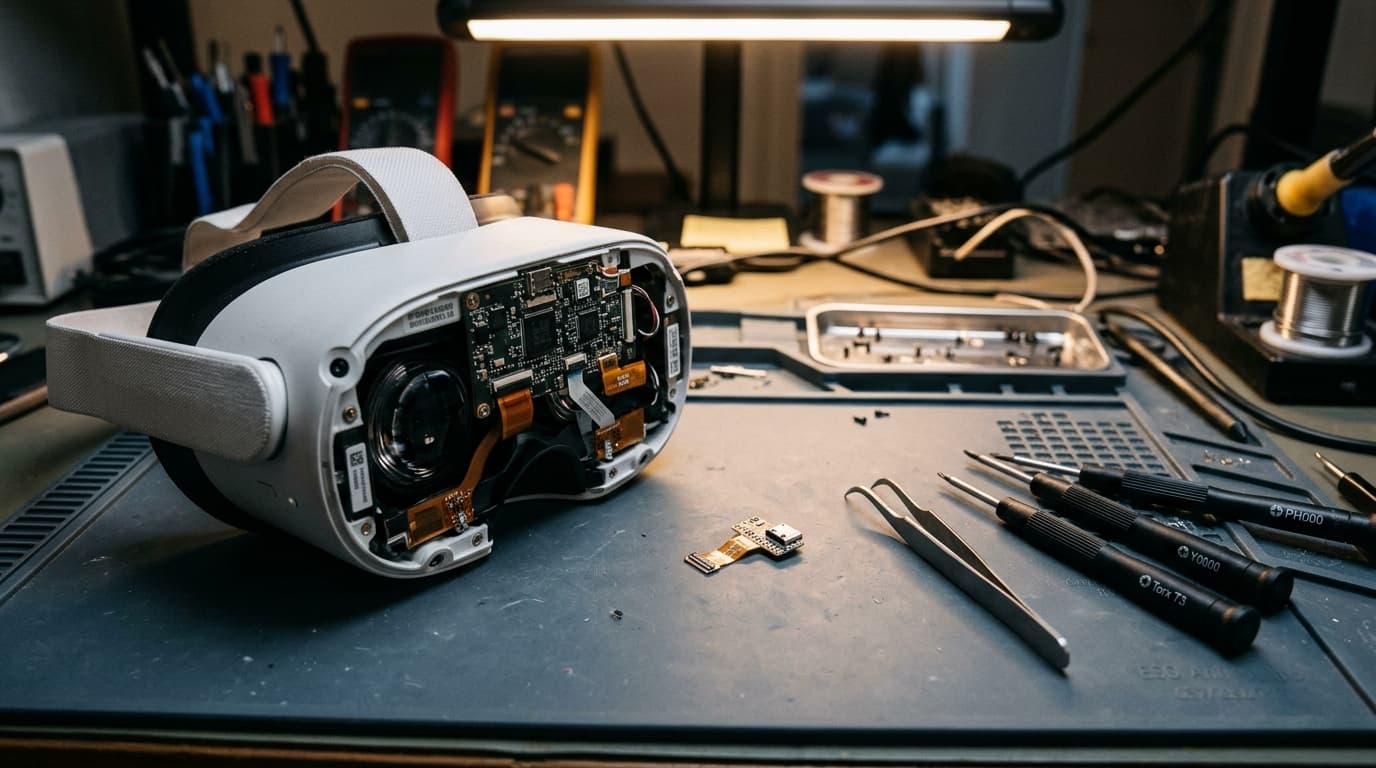
Quick Answer & Technician Key Takeaways
- When broken or loose charging / cable port develops on a Meta / Oculus Meta Quest 3, replacing the specific worn part saves 50% to 80% compared to buying replacement hardware.
- Avoid propping loose cords at an angle, spraying liquids into controllers, or using abrasive pastes on VR lenses, these common DIY tricks often damage surrounding boards and sensors.
- You can ship your Meta Quest 3 from any of the 50 US states using our 100% free prepaid FedEx Ground shipping label at /fix/meta/quest-3/power-ports.
- Every repair at RockIT Repairs starts with a free hands-on checkup and exact price quote, includes a 90-day warranty, and includes free return shipping even if you decline a quote.
When your Meta / Oculus Meta Quest 3 runs into Broken or Loose Charging / Cable Port, your entire virtual reality setup can go from an everyday escape to an expensive paperweight sitting on a shelf. Whether you rely on your Meta Quest 3 for daily VR cardio workouts, sim racing, social hangouts, or room-scale gaming, a single worn component should never force you to spend hundreds of dollars buying a brand-new replacement headset or controller.
If the cord wiggles, won't charge, got melted, or keeps disconnecting, we replace the damaged plug port inside your Meta Quest 3 so you don't have to buy a new headset. At VRHeadset.Repair (powered by RockIT Repairs in Fredericksburg, Virginia), Co-Founders James Einhorn and Jonathan Hawkins along with our specialist technicians have helped over 25,000 customers across all 50 states fix the exact part that broke. In this complete diagnostic and repair guide, we explain why broken or loose charging / cable port happens on the Meta Quest 3, which symptoms to watch out for, what you can safely check at home in ten minutes, which common internet hacks can accidentally ruin your hardware, and how to print a free FedEx Ground shipping label for a free hands-on checkup.
Bench Note from James Einhorn (Co-Founder & Lead Repair Technician)
"Every week at our Fredericksburg repair bench, we open up Meta Quest 3 units that customers were told could never be fixed outside of buying a whole replacement unit. In the vast majority of cases, broken or loose charging / cable port comes down to a single physical part that wore out from normal active use. Replacing just that worn component restores your Meta Quest 3 for 50% to 80% less than replacement hardware, and keeps a great headset out of a landfill."
1. How to Recognize the Early & Advanced Symptoms on Your Meta Quest 3
Most hardware failures on the Meta / Oculus Meta Quest 3 do not appear out of nowhere. Weeks before a part stops working completely, your headset or controller usually gives off clear everyday warning signs. Recognizing those early signs can keep a small, inexpensive repair from turning into secondary damage on the main power board or inner display assembly.
Early Warning Signs Regular Owners Notice First
- Intermittent Glitches That Come and Go: At first, broken or loose charging / cable port might only show up after 30 minutes of active movement, when the headset warms up, or when a cord or button is pressed at a certain angle.
- Rebooting Only Fixes It for a Few Minutes: Power-cycling your Meta Quest 3 or putting it to sleep and waking it back up seems to clear the symptom briefly, only for the exact same problem to return during your very next game.
- Wiggling or Positioning Changes the Behavior: If touching a plug, shifting the headband strap, or tapping the controller housing temporarily makes the problem better or worse, that is a 100% guarantee that the root cause is physical hardware wear rather than a software bug.
Advanced Symptoms That Mean the Part Has Failed Completely
- Factory Resets Make Zero Difference: Even after wiping the device or reinstalling your VR software, the issue appears immediately on the initial pairing or setup screen.
- Physical Play, Heat, or Visible Wear: Loose sockets, drifting calibration dots in the controller test menu, black camera views, crackling audio, or visible surface marks confirm that the part inside your Meta Quest 3 needs hands-on replacement.
- Session-Stopping Errors: Your Meta Quest 3 cuts out mid-session, refuses to hold a charge, loses room tracking, or prevents you from completing basic menu selection.
2. Why Broken or Loose Charging / Cable Port Happens on the Meta / Oculus Meta Quest 3
Unlike a television or a desktop monitor that sits motionless on a stand for years, a virtual reality headset and its handheld controllers go through constant physical stress every single time you put them on. When you duck, turn your head rapidly, swing your arms, or plug in a charging cord while playing, several forces act on the compact internal parts of your Meta Quest 3:
- Mechanical Leverage on Plugs, Cords, and Hinges: Whenever a charging cable, PC link cord, or optical tether hangs off the side of a headset without strain relief clipped to the head strap, every step or head turn pulls sideways against tiny metal pins inside the port. Over hundreds of hours, that sideways leverage loosens the internal mounting tabs.
- Repetitive Friction Inside Controller Thumbsticks and Triggers: Handheld VR controllers endure constant thumb pressure, rapid sprinting clicks, and accidental bumps against walls or furniture. Inside the joystick module, tiny spring-loaded metal wipers slide back and forth across a carbon track until physical grooves wear into the sensor surface.
- Heat Cycling and Active Workout Moisture: High-energy VR fitness apps generate both processor heat inside the visor and humid air around the face pad. If the miniature internal cooling fan clogs with dust or if workout sweat creeps past the facial interface seam, internal contacts can oxidize or overheat.
- Optical Sensitivity to Sunlight and Eyeglass Contact: Because VR lenses act like high-powered magnifying glasses, even thirty seconds of direct sunbeams shining through a window onto the inner lenses can focus intense heat onto the internal display panel, while prescription glasses rubbing against the lens surface leave permanent central scuff marks.
Free Outbound FedEx Label · Free In-Shop Checkup
Need Your Meta Quest 3 Fixed by a Real Technician?
Skip the frustration of automated manufacturer support chatbots and pricey out-of-warranty replacement fees. Print a free FedEx Ground shipping label right now, mail your Meta Quest 3 to our Fredericksburg, Virginia repair shop, and get a free hands-on checkup and exact price quote before any paid work begins.
Print Free FedEx Label for Meta Quest 3 Broken or Loose Charging / Cable Port Repair →3. Safe At-Home Diagnostic Checks Before You Mail In Your Meta Quest 3
Before you box up your gear, our technicians always recommend running through a few gentle, non-destructive checks at home. These steps take less than ten minutes, require zero special tools, and help confirm whether an external accessory is to blame or if the internal component inside your Meta Quest 3 needs professional repair:
Step 1: Isolate Third-Party Accessories, Straps, and Extension Cables
Remove any snap-on decorative plastic covers, third-party battery head straps, magnetic charging tips, or USB extension cables. Plug your Meta Quest 3 directly into a known-good wall charger or direct computer port without adapters. Decorative front shells often block the thin cooling exhaust gap around the visor, while magnetic USB tips frequently collect metal dust and cause intermittent charging dropouts.
Step 2: Perform a Bright Flashlight Inspection
Using the flashlight on your smartphone, look closely at the affected area of your Meta Quest 3. If you are troubleshooting a charging or cable port, check whether pocket lint is packed into the bottom of the oval opening or if the center tongue looks slightly tilted or darkened. If you are checking lenses, cameras, or controller buttons, look for hairline cracks, sticky residue, or uneven button travel. Never poke metal paperclips, safety pins, or needles into a VR charging port: touching two pins together can short out the battery circuit immediately.
Step 3: Check Built-In Calibration and Status Indicators
Observe how the indicator lights and built-in settings menus respond. For controller issues, open the controller calibration screen inside your headset settings and watch what the center dot does when your hands are completely off the thumbstick and trigger. For power, cable, or display issues, watch whether the status LED blinks red, orange, or white when connected cleanly without holding the cord at an angle.
4. Three Common Internet DIY Hacks That Often Make Meta Quest 3 Damage Worse
We love helping handy owners take care of their gear, but every week we receive headsets and controllers where a well-meaning YouTube or Reddit "quick hack" accidentally turned a straightforward single-part repair into a much bigger rescue job. Here are the three most common pitfalls to avoid:
Critical Hardware Warning from RockIT Repairs
Never rubber-band a loose charging cord to hold tension on a wiggling port, never flood a VR controller thumbstick with household lubricant or alcohol spray, and never rub abrasive toothpaste or liquid glass polish on coated VR pancake or Fresnel lenses.
- Pitfall #1, Propping or Rubber-Banding a Loose Charging Cord: When a charging port starts loosening, pulling the cord tight at an angle forces the damaged internal pins to spark slightly under fast-charging current. That heat quickly melts the surrounding plastic shell and can char the internal charging board.
- Pitfall #2, Flooding Controller Thumbsticks with Contact Cleaner Spray: Spraying liquid cleaner into the top gap of a VR controller washes away the factory damping grease and carries dissolved carbon dust straight into the delicate thumb-touch sensor ribbon and trigger pads underneath.
- Pitfall #3, Using Superglue or Abrasive Pastes Near Optics and Sensors: Household superglue releases invisible chemical vapors as it dries that permanently fog nearby tracking cameras and inner lenses, while abrasive rubbing compounds strip the anti-glare coating right off VR optics.
5. Complete List of Repairs Available for Your Meta / Oculus Meta Quest 3
While your Meta Quest 3 is at our Virginia shop for Broken or Loose Charging / Cable Port, our technicians perform a complete multi-point inspection of your entire device at no extra cost. If you have more than one issue going on, we can take care of everything in the exact same visit under a single free FedEx Ground shipping label:
- Meta Quest 3, Broken or Loose Charging / Cable Port (Primary Repair Page): If the cord wiggles, won't charge, got melted, or keeps disconnecting, we replace the damaged plug port inside your Meta Quest 3 so you don't have to buy a new headset.
- Meta Quest 3, Scratched or Blurry Lenses: Scuffs from glasses or blurry spots blocking your view? We polish light scratches or install clear replacement lenses on your Meta Quest 3.
- Meta Quest 3, Won't Turn On / Sweat or Liquid Damage: Headset completely dead after heavy workouts, a spill, or a drop? We clean internal moisture damage and replace failed internal power parts on your Meta Quest 3.
- Meta Quest 3, Battery Dies Fast or Won't Hold a Charge: If your Meta Quest 3 drains in minutes or stays stuck at 0%, we open it safely and install a fresh, tested internal battery.
- Meta Quest 3, Sun Spots or Burn Marks on the Screen: Sunlight shining into VR lenses leaves yellow or purple burn spots on the inner screen. We replace the damaged internal screen inside your Meta Quest 3.
- Meta Quest 3, Tracking Lost Errors or Black Camera View: Stuck on "Tracking Lost" messages or seeing a black room view? We replace cracked or failed outer tracking cameras on your Meta Quest 3.
- Meta Quest 3, Overheating Shutdowns or Loud Fan Noise: Hearing a loud buzzing noise or getting "Headset Too Hot" warnings? We install a quiet new internal cooling fan inside your Meta Quest 3.
- Meta Quest 3, Touch Plus Controller Joystick Drift (Moves by Itself): Character walking or spinning without touching the thumbstick? We install a brand-new, heavy-duty thumbstick inside your Touch Plus Controller.
- Meta Quest 3, Touch Plus Controller Stuck Buttons, Trigger, or Cracked Casing: Bumped a wall or dropped your controller? We fix broken triggers, stuck buttons, cracked shells, and lost hand tracking on your Touch Plus Controller.
- Meta Quest 3, Touch Plus Controller Won't Charge or Won't Pair: Fixing battery leaks, dead rechargeable batteries, and controllers that refuse to connect to your Meta Quest 3.
- Meta Quest 3, Not Sure What's Wrong (Free In-Shop Checkup): Send your Meta Quest 3 in with a free FedEx label and let our technicians test every subsystem for free before quoting you.
Other Meta / Oculus Headsets & Controllers We Repair Every Day
In addition to the Meta Quest 3, RockIT Repairs services the complete Meta / Oculus lineup across all generations:
- Meta Quest 3S Mail-In Repair: Fast mail-in repairs for Meta Quest 3S headsets and Touch Plus controllers, including joystick drift, broken charging ports, scratched lenses, and tracking sensors.
- Meta Quest 2 Mail-In Repair: Keep your Meta Quest 2 working like new. We fix Touch controller stick drift, broken charging ports, worn-out batteries, and sun-damaged screens.
- Meta Quest Pro Mail-In Repair: Full repair support for Meta Quest Pro headsets and Touch Pro controllers, including rear battery issues, moisture damage, and thumbstick drift.
- Oculus Quest (Original) Mail-In Repair: Replacement batteries, charging port fixes, screen repairs, and controller repairs for the original Oculus Quest.
- Oculus Rift S Mail-In Repair: Replacement PC cables, static microphone fixes, and Touch controller repairs for the Oculus Rift S.
- Oculus Rift (CV1) & Oculus Go Mail-In Repair: Fixing dead headphone sound on the headstrap, damaged headset cords, and aging batteries on classic Oculus headsets.
6. How Our Free FedEx Mail-In Repair Process Works (All 50 US States)
We designed VRHeadset.Repair to be the simplest, most transparent mail-in repair experience in the country. You never pay upfront just to find out what is wrong with your gear, and you never get stuck talking to an automated robot when you want an update on your headset:
- Print Your Free FedEx Ground Label in 60 Seconds: Go to our Meta Quest 3 Broken or Loose Charging / Cable Port repair page, enter your return shipping address, and print your prepaid FedEx Ground shipping label and packing slip immediately.
- Pack Your Gear & Drop It Off Locally: Place your Meta Quest 3 (or just your controller if only the controller needs work) into any sturdy cardboard box with bubble wrap or cushioned padding, tape the prepaid FedEx label to the outside, and drop it off at any FedEx location, FedEx Office, or Walgreens drop-off counter nationwide.
- Free Hands-On Technician Checkup & Live Ticket Chat: As soon as your package arrives at RockIT Repairs, 1319 Lafayette Blvd. #300, Fredericksburg, Virginia 22401, a real technician inspects your device on our bench for free. We send you a 1-click email link straight into your live online repair ticket where you can see our findings, view your exact price quote, and message your technician directly.
- Expert Repair, Quality Testing & 90-Day Warranty: Once you approve the quote online, we install fresh, high-grade replacement parts, clean your lenses and exterior sensors, test your Meta Quest 3 under real gaming loads, and ship it back with our full 90-day parts and labor warranty. And if you ever decide not to go ahead with a repair after your free checkup, RockIT Repairs even pays the return shipping to send your headset right back to your door.
RockIT Repairs · Fredericksburg, Virginia · 540-412-8824
Ready to Get Your Meta Quest 3 Working Like New Again?
Click below to generate your free FedEx Ground shipping label right now, or visit our Ask a Question page to message our shop directly.
Print Free FedEx Label for Meta Quest 3 Broken or Loose Charging / Cable Port Repair →Related VR Repair Pages & Troubleshooting Guides
Explore our live repair pages and latest technician guides across VRHeadset.Repair:
- Meta Quest 3: Broken or Loose Charging / Cable Port Mail-In Repair (Free inbound FedEx Ground label & free bench checkup)
- All Meta Quest 3 Repair Services (Complete list of parts we replace on the Meta Quest 3)
- Meta / Oculus VR Repair Hub
- Meta Quest 3: Not Sure What's Wrong (Free Checkup)
- Meta Quest 3: Scratched or Blurry Lenses
- Meta Quest 3S Mail-In Repair Hub
- Free Nationwide FedEx Shipping Guide & 90-Day Repair Warranty
- Related Guide: Meta Quest 3 & Quest 3S Loose, Blinking, or Melted USB-C Charging Port: Complete Troubleshooting & Mail-In Repair Guide
- Related Guide: Meta Quest 3 Touch Plus & Quest 2 Controller Stick Drift: Why Your Character Walks by Itself & Permanent Thumbstick Replacement
- Related Guide: Meta Quest 3 & 3S Stuck on Tracking Lost or Black Passthrough Camera View: Sensor Checks & Camera Repair
- Related Guide: Yellow or Purple Sun Burn Spots Inside Meta Quest 2 & Quest 3 Screens: Why Lens Polish Cannot Fix Inner Display Burns
Official Manufacturer Specs & Industry Safety References
For official hardware care guidelines, connector specifications, and industry safety documentation referenced by our technicians, consult these verified resources:
- USB Implementers Forum (USB-IF): Official USB Type-C Cable & Power Delivery Standards (USB Implementers Forum)
- Meta Quest Help Center: Official Hardware Care, Lenses & Troubleshooting (Meta Official Support)
- Clean & Care for Your Meta Quest Headset Lenses Safely (Meta Official Support)
Step-by-Step Checks for Meta Quest 3
Safe checks you can try at home before printing your free FedEx shipping label
- 1
Disconnect Third-Party Accessories from Your Meta Quest 3
Remove snap-on front covers, magnetic charging adapters, battery straps, or extension cords so you can test the Meta Quest 3 by itself.
- 2
Inspect Gently Under a Bright Flashlight
Check the affected area on your Meta Quest 3 under bright light for packed lint, bent contact tabs, scuff marks, or loose buttons without poking metal tools inside.
- 3
Verify Calibration and Indicator Lights Without Forcing Connections
Check built-in controller calibration menus or LED charging indicators without rubber-banding or holding cables at a tight angle.
- 4
Print Your Free FedEx Ground Label for a Free In-Shop Checkup
Frequently Asked Questions
Direct answers from our Fredericksburg, Virginia repair technicians
Can RockIT Repairs fix broken or loose charging / cable port on the Meta / Oculus Meta Quest 3?
Yes! Our technicians at RockIT Repairs in Fredericksburg, Virginia repair broken or loose charging / cable port on the Meta Quest 3 every week using high-grade replacement parts and test every device under real VR loads.
How much does it cost to ship my Meta Quest 3 in and get a price quote?
Both outbound FedEx Ground shipping and our hands-on technician diagnostic checkup are 100% free. We message and email you the exact repair price before doing any paid work.
Can you fix other issues on my Meta Quest 3 during the same visit?
Absolutely. While your Meta Quest 3 is on our bench, we inspect the ports, lenses, tracking cameras, cooling fan, and controllers so everything can be taken care of under one free FedEx shipping label.
What happens if I decide not to proceed after the free checkup?
There is zero risk or obligation. If you ever choose not to approve a repair quote after your free checkup, RockIT Repairs even pays the return shipping to send your device back to your door.

James Einhorn / Co-Founder & Lead Repair Technician
James co-founded RockIT Repairs with Jonathan Hawkins and has rescued thousands of VR headsets that other shops called unfixable, from melted charging ports to liquid damage and dead displays.